Caching in distributed systems is an important aspect for designing scalable systems. We first discuss what is a cache and why we use it. We then talk about what are the key features of a cache in a distributed system.
The cache management policies of LRU and Sliding Window are mentioned here. For high performance, the cache eviction policy must be chosen carefully. To keep data consistent and memory footprint low, we must choose a write through or write back consistency policy.
Cache management is important because of its relation to cache hit ratios and performance. We talk about various scenarios in a distributed environment.
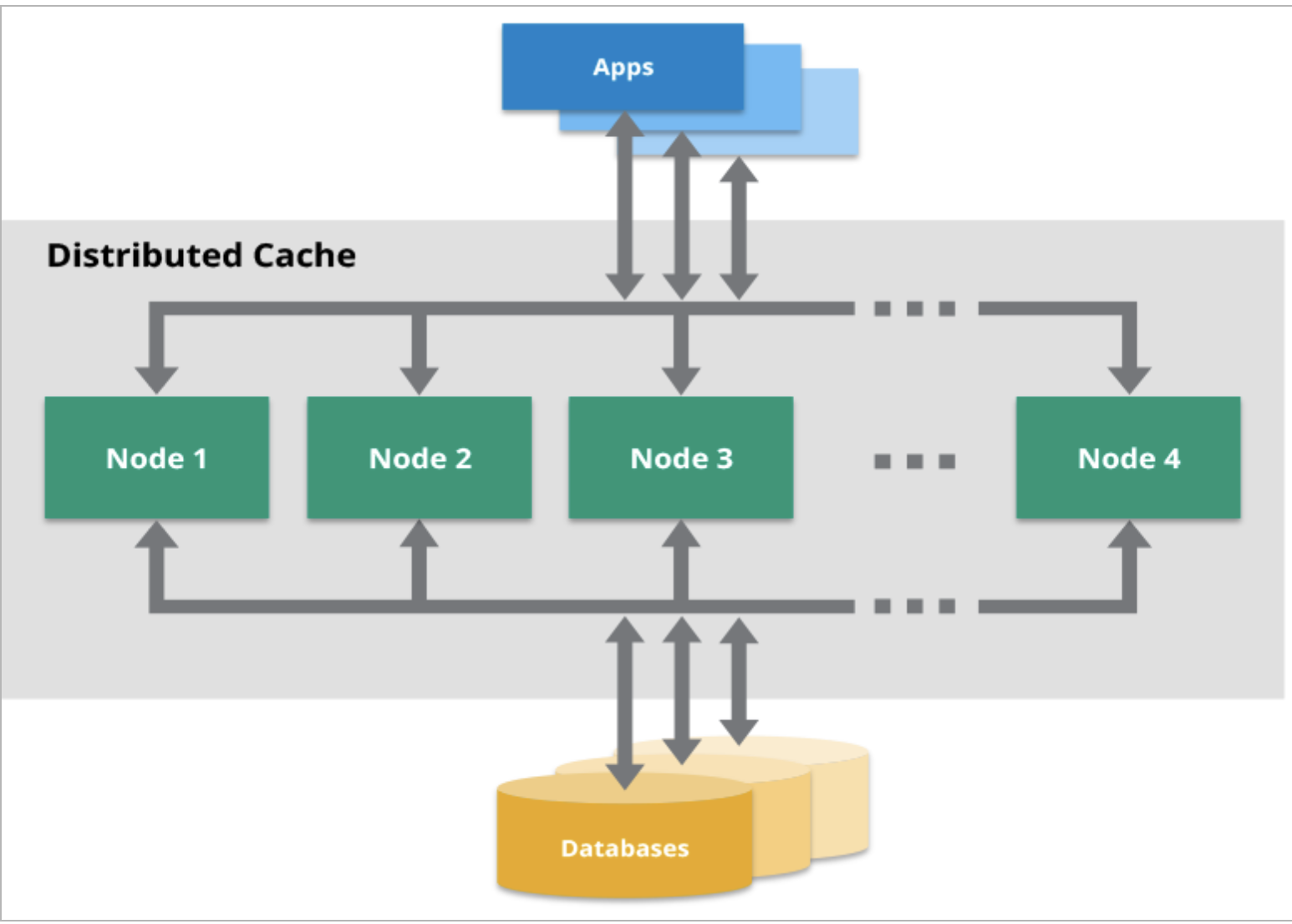
Use-cases of Cache
- Save network calls
- Avoid recomputations
- Reduce db load
Store everything in cache?
- As we know response times are much faster for response time to fetch details from cache insetad of db so does that mean we can store lot of data in cache?
- Well you can't do for mutiple reasons
- Firstly hardware on which cache runs is usually much more expensive than that of a normal database.
- Secondly if you store ton of data in cache then search time will increase and as seacrh time keeps on increasing, it makes lesser sense to use the cache.
When to load and evict data from cache?
- It's entirely depends on our cache policy we use.
- First popular policy called as LRU (Least Recent Used).
- kick out bottom most entries.
- As an example if celebrity made a post/comment, ppl would want to load that and slowly it would be least used one
- There is one more LFU (Least Frequently Used) but it's not frequently used in real world mostly :)
What problems poor eviction policy can cause?
- Imaging you are asking for something from cache and it says I don't have it most of the time and you again going to ask DB so you are making more network calls.
- So the first problem is Extra Calls.
- Second problem when you have very small cache and imaging making entry for X and then making entry for Y and deleting for X.
- This concept is called Thrashing.
- Data Consistency
- As an example server2 makes an update call and update the DB and now if server1 asks for X profile but it will fetch outdated profile. (would be even severe in terms of passwords updattion etc)

Where cache can be placed?
- It can be placed closed to the database or can be placed close to the server.
- There are benefits for both and drawbacks for both.
- If you want to place close to the server, how close you can place, well you can place it in memory itself.
- If you do this, amount of memory in your server is going to be used up by your cache.
- If number of results is really small and you need to save on the network calls then you can just keep it in memory.
- If let's say server2 fails, it's in-memory cache also fails
- What if data on S1 and data on S2 are not consistent that means they are not in sync.
- Putting cache near to db is like global cache.
- In this case even if S2 crashes, S1 will keep serving requests and there won't be any data inconsistency.
- Although it will be slightly slower but it's more accurate.
- You can also scale this independently and servers would be resilient too.

How to make sure data is consistent in cache?
- There are two approaches to achieve it
- Write-through
- You will make update entry in the cache and update further to the database.
- Possible problems when servers having in-memory cache and let's say S1 making an update call and updated cache bur data would be inconsistent in S2 cache.
- Write-back
- Once you hit the database, make sure you make an entry in the cache.
- Possible problem in write-back is performance
- Both approaches having advantages and disadvantages.
- Hybrid sort of solution would be best based on the use-cases.
Happy Learning :)


